

Simple for workers. Effortless for venues.
HopDesk is the quiet layer between a remote worker who needs a good HopSpot for a few hours and a venue with space to spare. Here is how each side uses it.
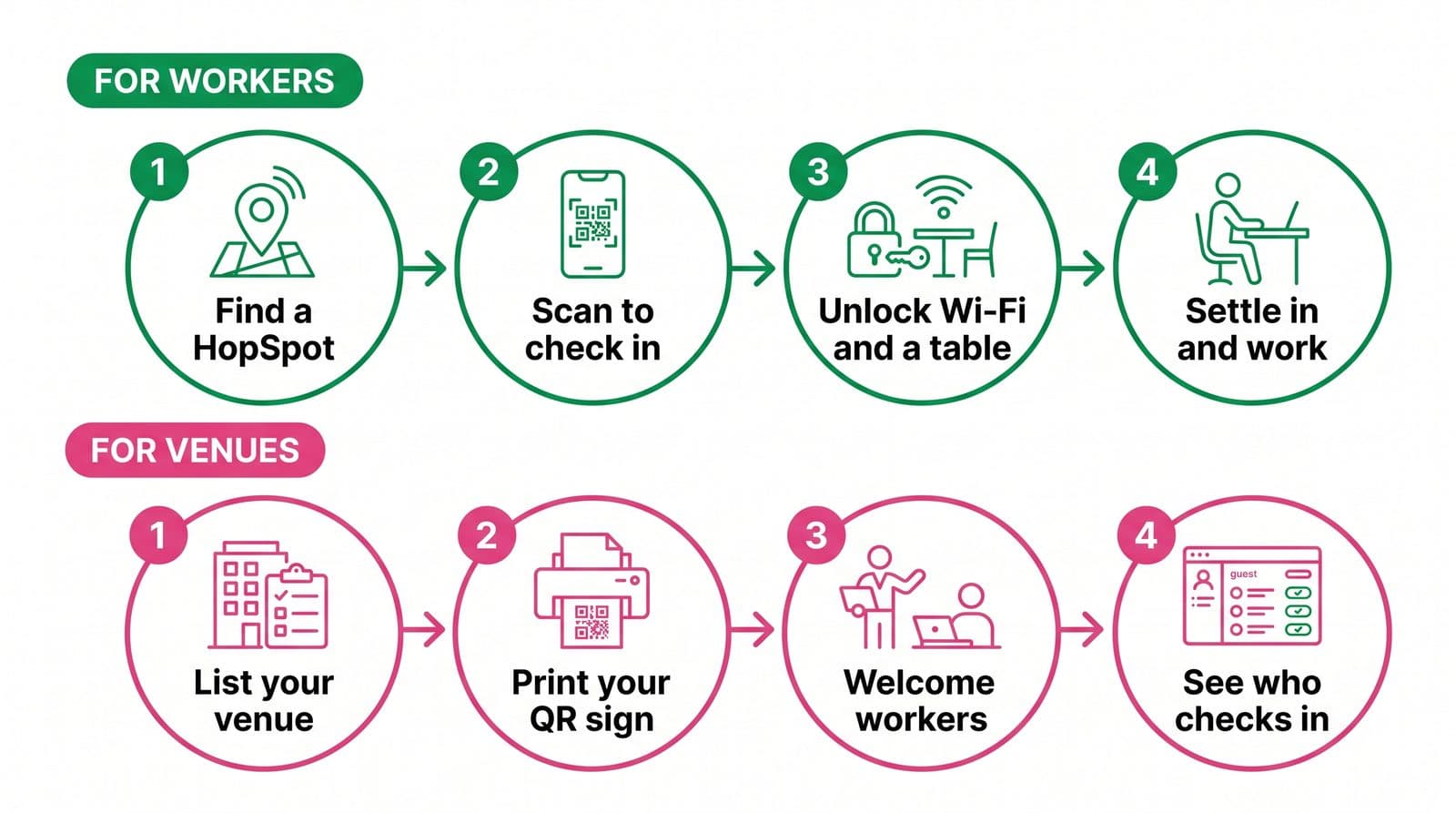
Find a spot and check in
- 1
Find a HopSpot near you
Open HopDesk to see welcoming venues around you or where you're going, on a map or list. Easily check the facilities each one offers, opening hours and how to hop there.
- 2
Scan to check in
Every HopSpot has a HopDesk QR code on the table or the bar. Scan it, sign in once, and you are checked in. No booking, no waiting.
- 3
Unlock what you need
Reveal the Wi-Fi without asking at the bar, reserve a table or workspace where the venue offers it, and see today's facilities at a glance.
- 4
Buy something, settle in
A coffee, a lunch, a pint on the way out. Your purchase will keep HopSpots Hopping for you.
List your space and welcome workers
- 1
List your venue
Tell us about your space, your hours and what you offer workers. Our description helper drafts the words for you to approve.
- 2
Print your QR signage
Download a ready-made sign with your own check-in code. Pop it on the tables and the bar, and you are open for Hoppers (remote workers who use HopDesk).
- 3
Welcome new regulars
Workers check in with a tap. You decide whether Wi-Fi is open to anyone checked in, and whether to take table reservations.
- 4
See who is coming in
A simple dashboard shows how many people browse, check in and how long they tend to stay, in plain counts. No tracking trail.
What you find at a HopSpot
Wi-Fi without the awkwardness
Reveal the network and password in-app once you are checked in, so you can hit the ground running.
A table when you need one
Where a venue offers it, reserve a HopSpot for the hours you need… free of charge. We appreciate unforeseen things can hold you up, so we will hold your space for up to 10 mins.
Facilities up front
Plug sockets, quiet corners, coffee, food and more, listed by the venue so you know before you go.